
Cleveland County Arrests on One Bulletin Date
The closest thing to a same-day feed is the official Cleveland County P2C Daily Bulletin. The Sheriff's Office links it from its site. It opens on a legacy numeric HTTP address. Two controls matter most: a Bulletin Date and an Event Type Filter. Picking Arrests is the key step. That choice strips out citations, ordinance violations, and traffic accidents.
One caution deserves emphasis. The bulletin shows a single calendar date, not a true rolling 24-hour window. The page itself warns that some events are not reported the day they occur. Rows can also appear late because agency and vendor processing takes time. Recheck your date later.
How to Check Cleveland County's Last 24 Hours
The bulletin comes first because it separates arrest events from the wider event stream. Then check the live roster. That tells you whether the person is still in county custody right now, which the date view cannot do on its own.
- Open the official P2C Daily Bulletin and select today's date.
- Choose Arrests in the Event Type Filter, then use the Update control.
- Review the case number, description, and officer in the resulting rows.
- Open a relevant row for available arrest detail or a conditional image.
- Repeat the process for the prior date if reporting crossed the date boundary.
- Check the official Inmate Inquiry by first or last name to test current custody.
An empty bulletin result is not the final word. Blank does not mean no arrest occurred. Reporting lag, a wrong selected date, a restricted case, a name misspelling, or a transfer out of the county system can each hide an event. For a broader date-by-date search, the Cleveland County Police Blotter page lays out more options without pretending to be an official weekly feed. The official Daily Bulletin screen holds the controls.
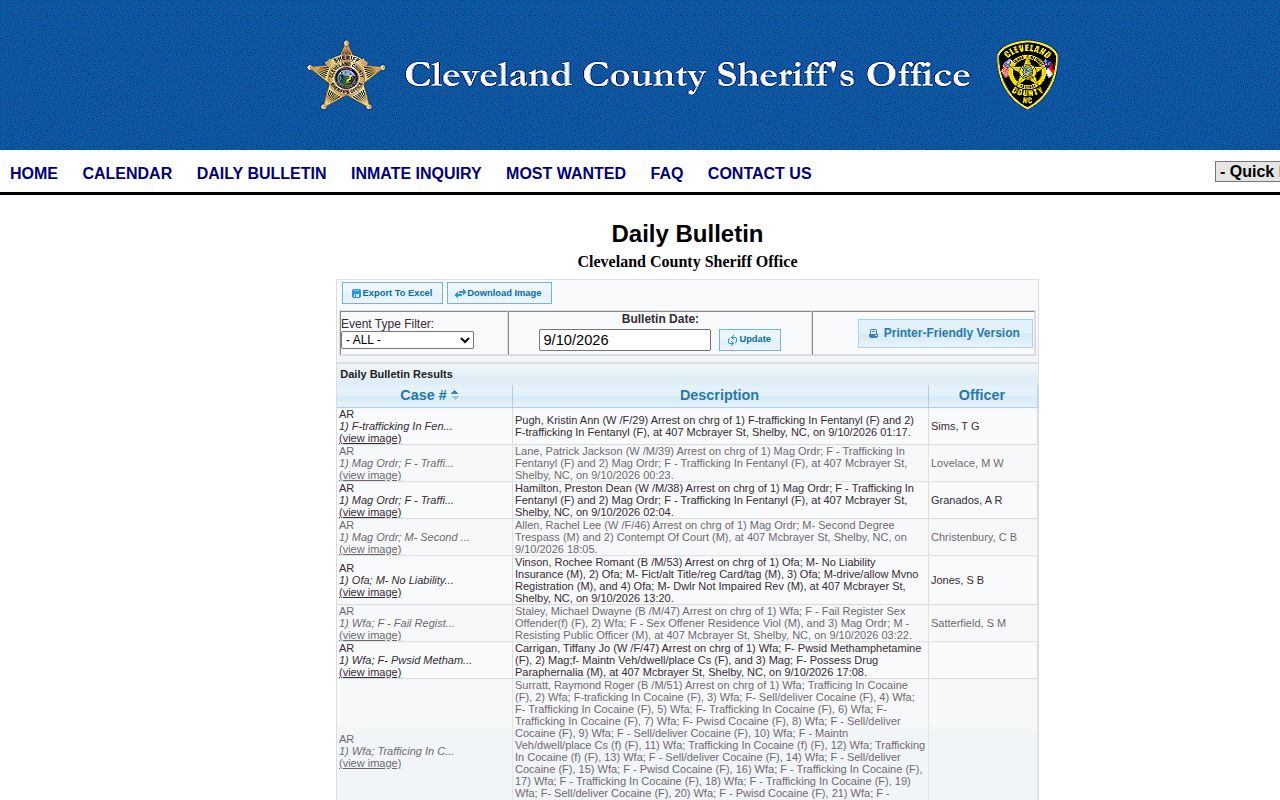
The Daily Bulletin interface, not a booking photo, is what appears on this page.
What Cleveland County's Daily Arrest View Shows
The bulletin is an event log. It is not a full jail booking sheet, so read each row exactly as its labels describe it.
| Field or control | How to read it |
|---|---|
| Bulletin Date | The single event date selected, not an automatic rolling period. |
| Event Type | Choose Arrests; other choices cover citations, ordinances, and accidents. |
| Case number | An agency event reference, not a court disposition or identity proof. |
| Description | The reported event description; it can differ from a later court charge. |
| Officer | The officer field associated with the event row. |
| Search data | Names, charge, race, sex, crime, location, and property may be searchable though not normal columns. |
| Arrest image | A detail may expose an image when supplied; every row is not guaranteed one. |
The bulletin offers print, Excel, and image-download buttons. Those extras do not create a certified booking archive. When a number looks off, give the agency the case number and selected date so it can reconcile the record.
Why the Cleveland County Roster Is Not Today's Arrest List
P2C Inmate Inquiry answers a different question: who is in county custody right now. Fields include Name, Primary Charge, Arrest Date, and Booking Agency. Searches run on last and first name. Old arrest dates show up too. That matters. An old date tells you nothing about when the row posted. The roster cannot stand in for a same-day arrest archive.
Custody shifts after booking. A released person drops off the current roster. The booking sheet and court file still exist. A transfer can move someone to another county, a state system, a federal hold, or immigration custody. If the bulletin shows a fresh event but Inmate Inquiry is blank, ask the Sheriff which facility and custody status apply now.
Confirm a Recent Cleveland County Arrest
When the date view and the roster both leave the question open, contact the Cleveland County Sheriff's Office directly. The non-emergency line is (704) 484-4822. The Control Room number is (704) 484-4888. Keep the ask narrow: whether the person is in Cleveland County custody and whether a recent arrest has finished processing.
Need paper instead of live status? The county's written public-record request route exists for that. Give the name, event or arrest date, arresting agency, and case number if you have one. You can ask for a releasable booking sheet, a dated inmate list, a release summary, a Daily Bulletin export, or a booking photo. No fixed photo fee or guaranteed turnaround is published. The county says requests move in order, with notice when delay or cost is expected.
For custody, release, or transfer alerts, a VINELink custody check beats refreshing the bulletin all day. One limit applies. With a very fresh booking, confirm with the Sheriff.
Cleveland County Arrest Alerts Are Selective
The Sheriff's website gives its county app top billing. The Cleveland County NC Sheriff app advertises real-time alerts on major arrests and most-wanted cases, plus jail logs and public-safety tools. Coverage is selective. No alert fires for every booking, no update interval is published, and no complete photo feed is promised. The official App Store listing spells out those functions.
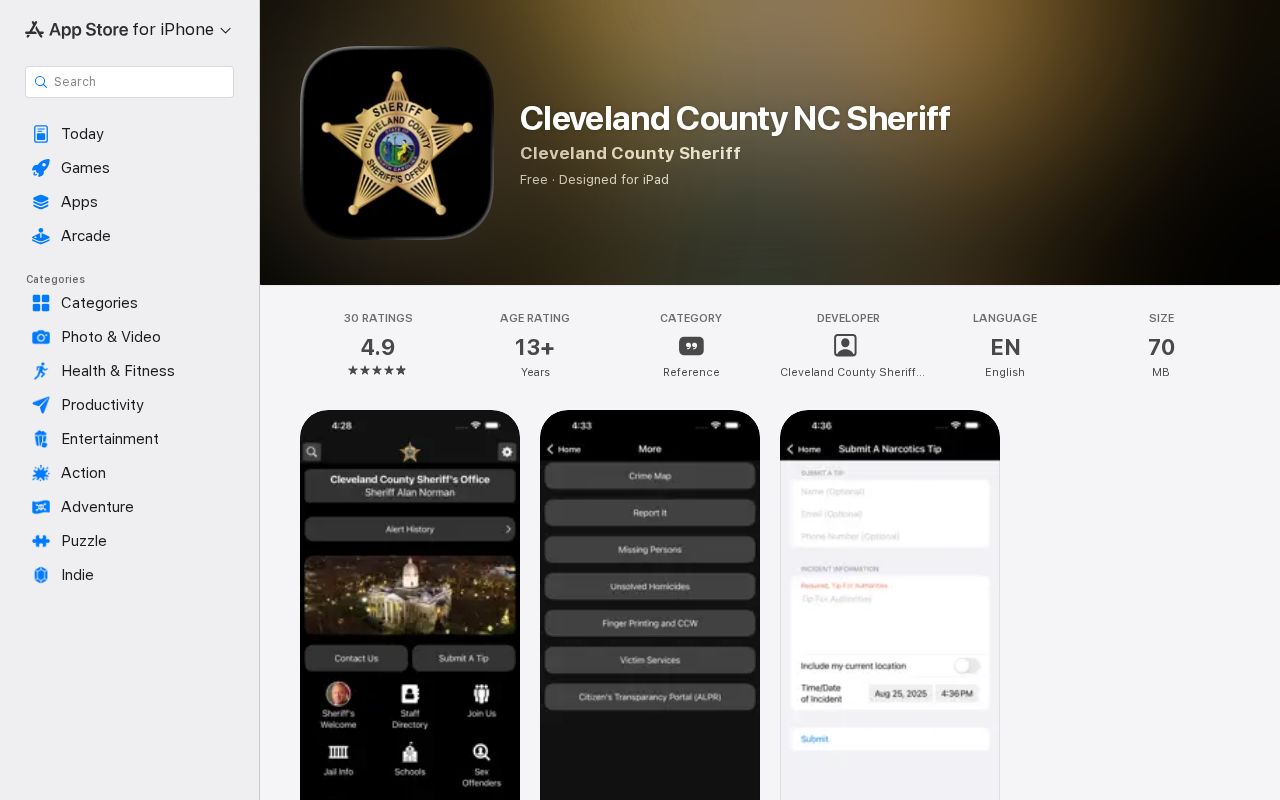
The app backs up the alert option, nothing more. It is not a complete same-day arrest feed. Treat it as one channel for selected agency news. Sheriff social accounts work the same way, since announcements are not a searchable arrest database. The same-day routine stays fixed: pick a date and the Arrests filter, check current custody, then call or request a record when the sources disagree.
Where an Arrest Record Moves Next
Booking is only the first stop. A person arrested in Cleveland County can move through several systems afterward. Each one keeps its own record. Release takes a name off the current roster quickly. State prison time puts the person in the North Carolina Department of Adult Correction offender search instead. Federal custody works the same way through the Bureau of Prisons locator. None of those moves erases the original Cleveland County event record, which stays where it started.
Housing takes some care too. The county runs two detention sites, not one. The Cleveland County Detention Center sits at 407 McBrayer Street. The Law Enforcement Detention Center is at 100 Justice Place. The Sheriff counts both as part of one detention division. So a roster hit tells you the person is in county custody. But it does not pin down which building holds them.
Cleveland County Arrest Charges Are Accusations
The description on a Daily Bulletin entry or a roster's primary charge is an early snapshot. Prosecutors can amend it. They can dismiss it. A plea or a judge's ruling can change everything by the time a case closes. So a booking row answers who was arrested, not where the case ended up.
For later status, go to the North Carolina eCourts Portal or the Cleveland County Clerk of Superior Court. Names run in families around here, so match birth dates or other details before trusting a hit. Describe any outcome using the court's disposition, not the booking line. A mugshot attached to an arrest event identifies the person arrested and nothing more.